 Desktop Note
Mac · iPhone · iPad
iCloud note sync between Mac, iPhone and iPad
Start a note at your desk and return to it on another Apple device. Desktop Note uses iCloud with your personal Apple Account to keep your notes connected.
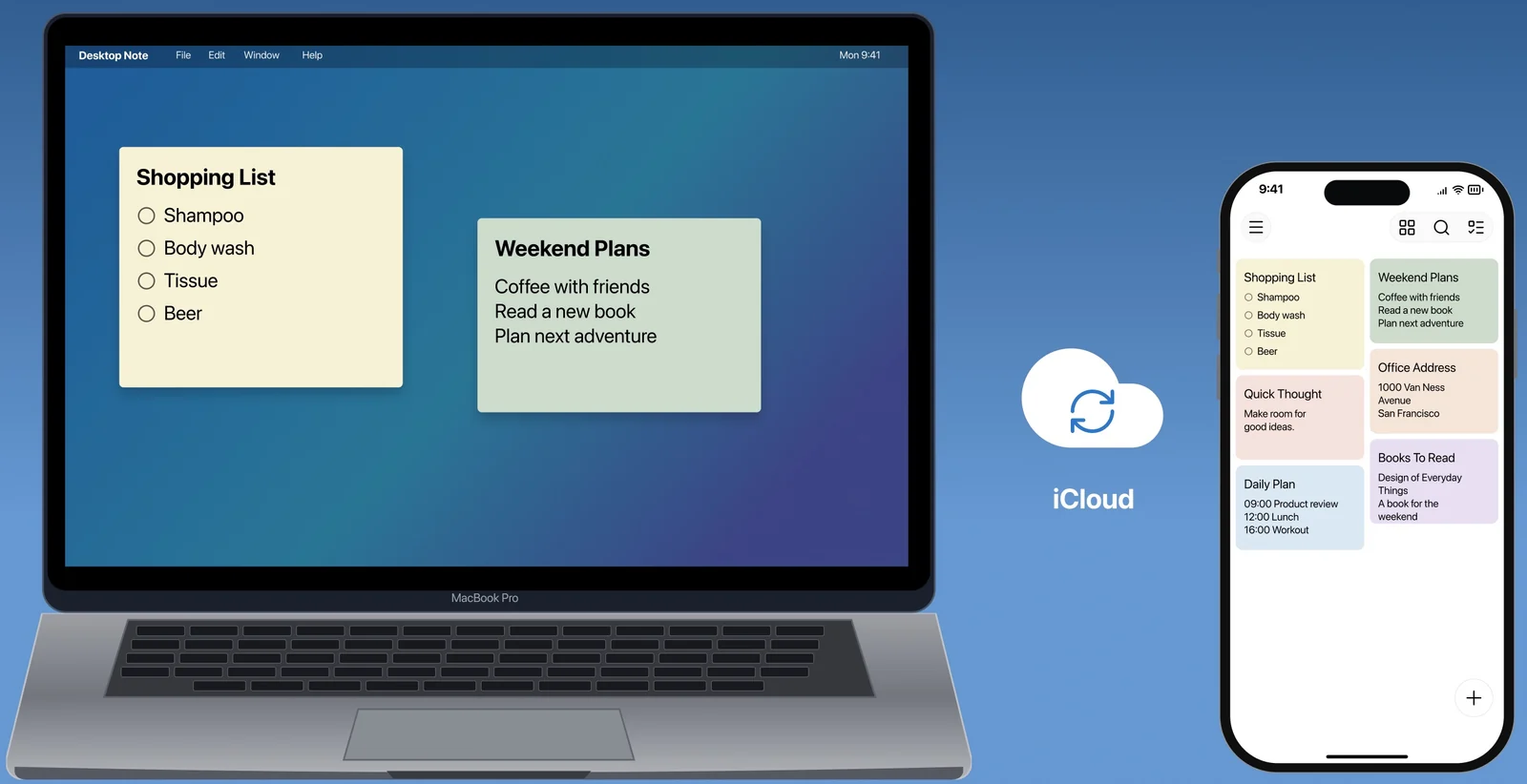
Pick up the thought on another device
Use iCloud with the same Apple Account to continue with your notes on Mac, iPhone and iPad. Start at your desk and pick up the thought on the device nearby.
A place in your day
- Prepare a plan on Mac and read it on iPhone.
- Capture an idea away from your desk.
- Continue a personal checklist on the device beside you.
On your devices
macOS
Use Desktop Note with the same Apple Account as your other devices. Your Mac desktop arrangement, opacity, always-on-top and Spaces choices remain display settings to configure on Mac.
For Mac ↗iOS · iPadOS
Read and edit synchronized notes in the iPhone or iPad app. Choose Home Screen widgets separately, so each device shows the content in a way that fits its space.
For iPhone & iPad ↗FAQ
Which Apple Account should I use?
Use the same personal account on your devices. This feature connects your own notes through iCloud; it is not a shared workspace between different people’s accounts.
Why can a widget look older than the app?
Receiving note changes and refreshing a Home Screen widget are different processes. Check the note inside the app first; the sync guide explains how to distinguish them.